
Jim: sell & get paid instantly
CloudWalkFinance
4.4477.00 Reviews
- Version
- 1.4.19
- Installs
- 100.00K
- Age Rating
- Everyone
Screenshots
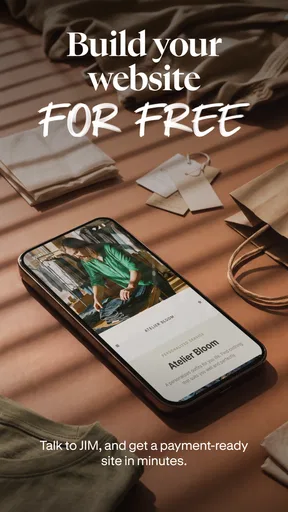
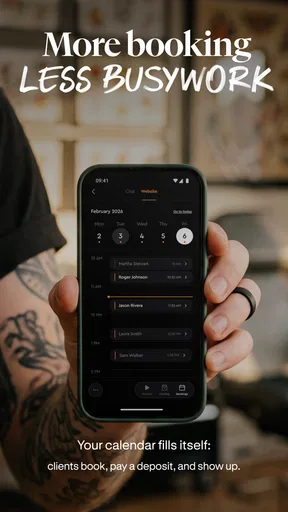
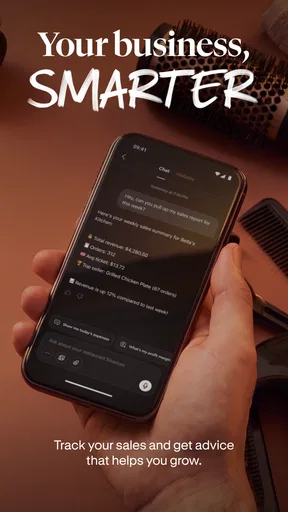
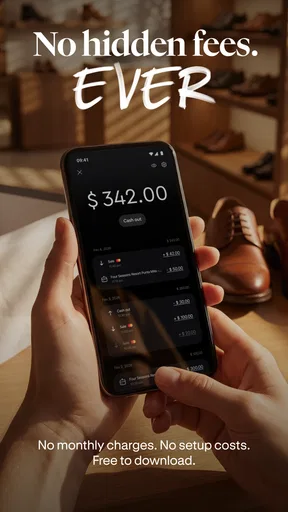
Our Review of Jim: sell & get paid instantly
 Analysis by Appyee
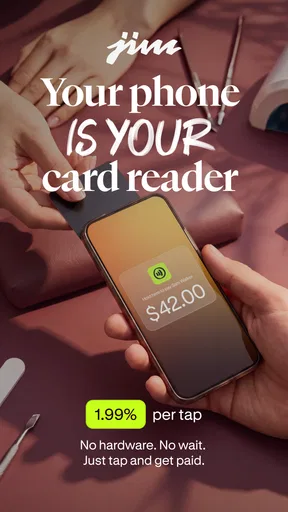
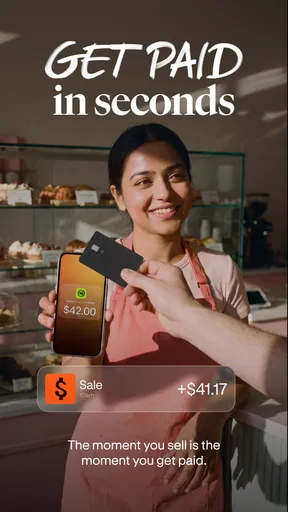
I tried Jim as a finance app for turning a phone into a card reader, and my first impression was that it makes the most sense in situations where selling happens away from a traditional checkout. The idea is simple: instead of carrying a separate card terminal, you use the phone you already have and let customers pay through that setup. That can be useful for a home-based seller, a market stall, a service provider visiting clients, or a household that occasionally sells items together.
What makes the app interesting is not just the payment action itself, but the way it changes responsibility. A card reader is usually a shared object that can be handed from one person to another. With Jim, the phone becomes part of the payment process, so the device, the account, and the person handling the sale need to stay properly coordinated. The most important practical question is not whether the app is easy to open, but who is allowed to use the phone and account when money is involved.
How Jim fits into a shared selling situation
Imagine a small household selling handmade items at a local event. One person speaks with customers while another keeps track of stock or packaging. With a conventional terminal, either person might pick up the reader. When the payment tool is built into one person’s phone, the workflow needs a little more planning. The phone owner may need to remain nearby, or the household may decide that only one trusted person handles payments.
That is where Jim feels more suitable for a clearly assigned seller than for a completely informal shared-device arrangement. I would use it on a phone dedicated to the person responsible for collecting payments, rather than passing a personal phone around throughout the day. This keeps conversations, photos, messages, and financial activity separated, and it reduces the chance that a customer sees something unrelated while the phone is being used.
For a one-person side business, this arrangement is straightforward. I can keep the phone with me, accept a payment, and continue serving the next customer. For a couple or family working together, the app can still fit, but the household should agree in advance on who starts the transaction, who confirms that it completed, and who records the sale. Those small rules matter more than they might seem, especially when several people are serving customers at once.
Jim is free to use, which lowers the barrier for someone testing mobile card acceptance rather than committing to a separate terminal immediately. It is also rated for Everyone, so the app is presented in an age category that is broad enough for general use. That does not mean every child or teenager should handle payments. The adult responsible for the account, the phone, and the money should set the boundaries.
What the first setup should clarify
Before using Jim at a busy sale, I would decide which phone will run it and keep that decision stable. A personal phone can work, but it creates avoidable distractions and privacy concerns. Notifications may appear, calls may interrupt the process, or another household member may need the device at exactly the wrong moment. A spare phone can make the arrangement cleaner, provided it meets the app’s operating-system requirement and is kept charged.
The app supports Android devices running version 7.0 or later. That makes compatibility fairly broad for older Android phones, although I would still test the exact device before relying on it at an event. A phone that technically meets the requirement may still be awkward if its battery is weak, its screen is damaged, or it struggles when several tasks are open.
I would also separate “can open the app” from “should manage the account.” A shared household phone may be accessible to everyone, but payment activity should remain under the control of a clearly trusted adult or responsible seller. If several people need to participate, the safest practical approach is coordination: one person operates the payment flow, while another handles products, receipts, packing, or customer questions.
That division avoids a common mistake with mobile finance tools: assuming that convenience means everyone should have equal access. In practice, fewer operators can make a small selling operation easier to audit. If something needs checking later, it is much simpler to ask one designated person what happened than to reconstruct a sequence handled by several family members on the same device.
Keeping the household workflow clear
Jim can be useful when the payment step is only one part of a larger routine. For example, a parent could manage the phone while a teenager greets customers and explains the products. The teenager does not need to touch the financial app to contribute meaningfully. They can prepare orders, count items, or direct customers to the payment person. This keeps the selling experience collaborative without making account access unnecessarily broad.
Another workable arrangement is a rotating seller schedule. One person handles the phone during the morning, then hands responsibility to another trusted adult after checking that the phone is charged and the next person understands the process. I would avoid casual handoffs in the middle of a transaction. Finish one payment, confirm the result, and only then change operators. That simple pause reduces confusion about whether a customer has paid or is still waiting.
For household sales, I would keep a separate written or digital sales record rather than relying entirely on memory. The payment app may handle the payment interaction, but the household still needs to know what was sold, at what price, and to whom an item was handed over. This is particularly important when one person accepts the payment and another person delivers the product.
A useful habit is to say the item and amount aloud before completing the transaction. It gives the customer a chance to catch an error, and it gives the second household member a clear reference point. Jim’s value is strongest when it removes the need for extra hardware without removing the human checks that prevent mistakes.
Age, trust, and the meaning of an Everyone rating
The Everyone age classification is reassuring from an accessibility point of view, but I would not treat it as a substitute for household rules. A finance app can be easy to understand while still involving responsibilities that belong with an adult or an experienced seller. Younger family members may be perfectly capable of helping with a stall, yet that does not automatically make them the right person to control the payment account.
I would explain the boundary in simple terms: one person owns the payment responsibility, and other helpers can assist around it. That is not about distrusting a child or teenager. It is about avoiding accidental purchases, incorrect amounts, exposed personal information, or uncertainty over who approved a transaction. A clear rule is easier for everyone than changing expectations from customer to customer.
The same principle applies when friends share a device for a temporary event. I would not sign in on a phone that many people use without first considering what else is stored there. Nor would I hand the phone to a stranger simply because they want to help. Jim is a tool for accepting payments, not a replacement for deciding who has financial authority.
For an adult who sells independently, these concerns are much smaller. The account boundary is naturally clear because the seller and the phone operator are the same person. For a household, the app works best when the account owner, device owner, and payment operator are either the same person or connected by an explicit agreement.
Everyday uses beyond a market stall
I can see Jim being useful for a mobile service provider who visits customers rather than working from a fixed counter. A tutor, repair worker, cleaner, photographer, or craft seller could benefit from carrying one phone instead of a separate reader, assuming the payment environment suits their needs. The appeal is greatest when customers are already meeting the seller in different locations and portability matters more than a permanent checkout station.
It also fits occasional household selling. Someone clearing out furniture, selling baked goods at a community event, or taking orders at a local gathering may not want to buy or store another piece of equipment. Since Jim is free, trying the phone-based approach is less of a financial commitment than purchasing a dedicated terminal, although the household should still test the complete process before the first real customer arrives.
For a shared family project, I would pair the app with a simple role system. One person greets and explains, one person prepares the item, and one trusted operator handles the phone. At a quiet event, those roles can overlap. At a busy event, keeping them distinct prevents the phone operator from losing track of the transaction while also searching for products or answering questions.
The app is less compelling for a permanent shop with several employees, complex stock control, or a need for a larger checkout system. In that setting, a dedicated terminal or a full point-of-sale platform may be better because the hardware and workflow are designed for repeated staff use. Jim’s strength is mobility and simplicity, not replacing every function of a retail system.
What I would test before relying on it
I would not make my first real customer payment the moment I discover whether the phone, account, and surrounding workflow are comfortable. I would rehearse the process with a trusted person, paying attention to how quickly the operator can find the right action, how clearly the result is communicated, and whether the phone remains usable while standing or moving around.
Battery planning deserves special attention. Turning a phone into a payment tool means the device is no longer available only for occasional calls or messages. Screen use, connectivity, and other normal phone activity can reduce the reserve during a long selling day. I would begin with a full charge and carry a suitable power option. That is not a Jim-specific promise or feature; it is a practical consequence of making the phone part of the checkout.
I would also keep a backup plan. If the phone becomes unavailable, the household should know whether it will pause sales, use another approved method, or record orders for later payment. A backup plan is especially important when the phone is also the seller’s main communication device. Without one, a low battery or accidental lockout can stop both payments and coordination.
Another useful test is a handoff rehearsal. Let the second operator practice the conversation around a payment without taking control of the account unnecessarily. Decide who tells the customer the amount, who watches for completion, and who gives the product to them. This reveals workflow problems that are easy to miss when one person does everything alone.
How it compares with the usual alternatives
The usual alternative is a dedicated card reader. That option has an obvious advantage: it is a separate object built for payment work, so the seller’s personal phone remains personal. It may also feel more natural in a busy environment where several people need to share responsibility. Jim counters with convenience, because the seller can avoid carrying another device and can use a phone that is already part of the daily routine.
A full point-of-sale system is another alternative. It may be better for businesses that need detailed product management, staff roles, receipts, reporting, or a fixed counter workflow. Jim is more appealing when the main problem is accepting a card payment while moving between locations. I would choose the simpler app for occasional or mobile selling, but I would not expect it to replace a complete retail system as a business grows.
Cash remains the simplest fallback from a device perspective, but it creates its own work: carrying change, counting accurately, and protecting the money. Jim can reduce the need for cash handling, which is valuable for a household that does not want one person constantly managing notes and coins. The trade-off is that the phone becomes essential, so device readiness and operator responsibility matter more.
For a family, the comparison is also about boundaries. A dedicated reader can be shared without exposing the owner’s messages or personal apps. Jim can still work well, but I would use it on a controlled device whenever possible. If the household values a strict separation between personal communication and selling, the separate reader may be worth the extra equipment.
What stood out in the current release
Jim is developed by CloudWalk and is currently at version 1.4.19. The app has an average rating of 4.4 from around two thousand ratings, with several hundred written reviews, and it has passed the hundred-thousand-install mark. Those figures suggest that it has attracted meaningful attention while remaining focused on a specific finance use case rather than trying to be an all-purpose business suite.
The app was released on January 5, 2026, so I would judge it as a relatively new option in a category where reliability and user habits matter greatly. That makes a cautious rollout sensible. I would start with low-pressure sales, establish the household procedure, and only then make it the primary payment route for a busy event. The free price makes that trial easier, but free does not remove the need to check whether the workflow fits the seller.
The short store description is simply “Jim,” while the broader positioning is about selling through a phone and receiving payment quickly. I found the practical interpretation more useful than the slogan: this is best viewed as a portable payment tool that depends on a prepared operator and a ready device. It is not automatically a complete business-management solution.
Who should use it, and who should choose something else
I would recommend Jim to an independent seller who wants a lightweight way to accept card payments while moving around. It is also worth considering for a household project where one trusted person can own the payment role and other members can support the sale without accessing the account. The free entry point and broad Android compatibility make it approachable for people who want to test the concept before buying dedicated equipment.
I would be more hesitant for a household where everyone expects to use the same phone freely, where no one wants clear financial responsibility, or where the device is already overloaded with personal tasks. In those cases, the problem is not necessarily the app itself; it is the lack of a clean operating boundary. A separate reader or a more structured payment system would probably create less friction.
I would also look elsewhere if the business needs a permanent counter, multiple staff members, extensive inventory tracking, or a mature reporting workflow. Jim’s appeal is strongest when portability and minimal equipment are the priority. Once the business depends on several people processing sales simultaneously, the simplicity that makes the app attractive may become a limitation.
My household verdict
After looking at Jim through a shared-use lens, I see a practical app with a very specific role. It can make mobile selling easier by putting the payment step on a phone, and its free availability makes experimentation less intimidating. For a solo seller, the arrangement is naturally clear. For a household, success depends on deciding who controls the account, who operates the device, and how the rest of the family supports the sale.
My advice would be to assign one trusted payment operator, use a separate or carefully controlled phone when possible, rehearse the handoff process, and keep a simple record of what each payment covers. Those steps address the real friction points: privacy, battery dependence, transaction confusion, and unclear responsibility. They also let younger helpers participate without turning financial access into an informal free-for-all.
Jim is a good fit when a phone can replace a separate reader without making the household workflow messy. I would choose it for occasional markets, mobile services, and small shared selling projects where one person can stay accountable. I would skip it in favor of dedicated hardware or a fuller point-of-sale setup when several people need simultaneous access or the business has outgrown a simple phone-based checkout. Used within those boundaries, it is a focused finance app that can make getting paid on the move feel considerably more manageable.
Verdict
Strengths of Jim: sell & get paid instantly
- Instant payment options help sellers access funds quickly.
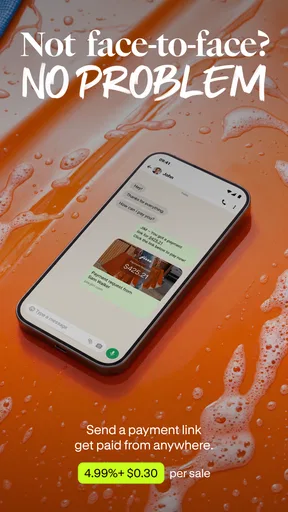
- Supports selling through simple, shareable payment links.
- Useful for freelancers, creators, and small businesses.
- Helps organize customer payments in one dedicated app.
- Reduces the need for cash or traditional card terminals.
Limitations of Jim: sell & get paid instantly
- Transaction fees may reduce earnings on frequent sales.
- Availability of features can vary by country or region.
- Account verification may be required before receiving payments.
- Payment disputes or refunds can temporarily affect your balance.
- Not ideal for businesses needing advanced inventory tools.
Similar Picks in This Category
View All
Google Wallet
Google LLC4.3

Airtel: Recharge, Bank & Loans
Airtel4.0

PayPal - Pay, Send, Save
PayPal Mobile4.2

DANA Indonesia Digital Wallet
PT Espay Debit Indonesia Koe4.5

Binance: Buy Bitcoin & Crypto
Binance Inc.4.8

Cash App
Block, Inc.4.7
Frequently Asked Questions
What is Jim: sell & get paid instantly?
Jim: sell & get paid instantly is a marketplace app designed to make selling items quicker and more convenient. Users can create listings, add photos and descriptions, communicate with potential buyers, and manage sales from a mobile device. Its main appeal is the possibility of receiving payment quickly, although availability, payment timing, and supported transaction methods may depend on your location and the specific sale.
How do I sell an item through Jim?
To sell an item, you generally need to create an account, upload clear photos, enter a title and description, choose the appropriate category, and set a price. Accurate information is important because it helps buyers understand the product and reduces misunderstandings. Before publishing a listing, review the details carefully, including condition, size, delivery or collection options, and any fees that may apply.
Do I really get paid instantly after selling an item?
The phrase “get paid instantly” refers to the app’s focus on fast payment, but the exact timing can vary. It may depend on the buyer’s payment method, verification checks, bank processing times, delivery confirmation, and local regulations. Before completing a transaction, check the current payment terms inside the app and confirm when funds become available for withdrawal or transfer.
Is Jim safe to use for buying and selling?
Jim may include features intended to support safer transactions, such as user accounts, in-app communication, payment processing, and reporting tools. However, no marketplace can eliminate every risk. Avoid sharing unnecessary personal information, be cautious of unusually attractive offers, keep conversations and payments within official channels, and inspect items or arrange exchanges in a safe public location when meeting someone in person.
Are there any fees or requirements for using Jim?
Depending on the market and transaction type, Jim may apply service charges, payment processing fees, listing costs, or other deductions from a sale. You may also need to meet account, identity, age, or location requirements before using certain features. Because pricing and policies can change, review the fee breakdown, seller conditions, refund rules, and withdrawal requirements before listing an item or accepting an offer.
